
Streamlined Inspections
Inspections
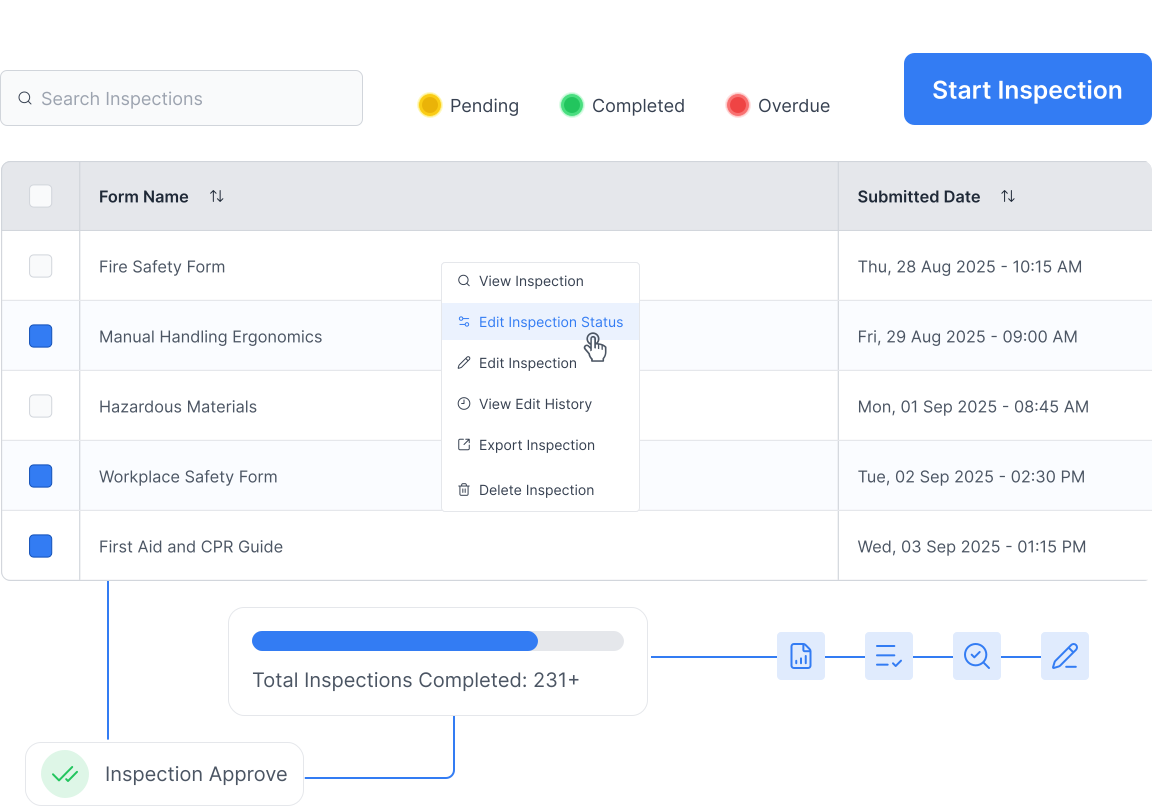
Schedule, run, and track workplace inspections built on powerful Smart Forms. Every inspection is recorded, actions are automatically escalated, and results export as a beautifully formatted report.
User Experience & Field Access
Focuses on how workers interact with the tool on-site.
Beautiful on Any Device
Complete inspections in the field on mobile, tablet, or desktop.
QR code access
Workers can open and complete inspections via QR code with no login required.
Geolocation
Automatically captures and enters the site address—no manual entry needed.
Built on Smart Forms
Every inspection template is built using the Smart Forms builder, giving you full flexibility over what you capture.

Workflow & Integration
Focuses on how the inspections connect to your broader safety processes.
Linked to Policies & Procedures
Forms are attached directly to relevant procedures, so workers read, complete, and sign off in one seamless flow.
Push to Hazard Register
Any actions arising from an inspection can be pushed directly to the Hazards module risk and hazard register for follow-up.
Multiple Workers Sign-in
Have as many workers as needed sign directly onto the form to confirm agreement with procedures.
Edit and Restart
Inspections can be edited and restarted at any point, keeping your process flexible.

Compliance & Accountability
Focuses on the "paper trail" and meeting regulatory requirements.
Knows Who Did What
Automatically records who completed each inspection with a full audit trail.
Compliance Dashboard
See at a glance which inspections are overdue or were not completed according to schedule.
Beautiful Export Reports
Every inspection exports as a professionally formatted report, ready to share with clients or regulators.
Flexible Scheduling
Schedule inspections by site, worker, or form type so nothing falls through the cracks.

Real-Time Risk Management
Focuses on identifying and communicating issues as they happen.
Add Hazards On The Fly
Workers can identify and record any additional hazards directly within the form at the time of completion.
Supervisor Notifications
Supervisors are instantly notified of completed inspections and any actions requiring attention.

Why You Need Inspections
Can You Answer These?
Six questions we put to every safety manager before they switch to the Inspections module. If you can't say yes to all of them, you're exposed.
0/6
answered "Yes"
Answer all the questions — then we'll tell you where the Inspections module can improve your process.
Can you prove to safety authorities that every worker has been trained in the safety requirements of their job role?
Are all your inspection records in one place?
Can you pull up any inspection record in two clicks or less?
Are your staff and managers being notified of inspections that are due to be completed?
Can your managers run a report in one click to see inspection gaps for each site?
Can you quickly identify trends and issues across multiple inspection forms?
Frequently Asked Questions
Answers to common questions about the inspection process